
k‑12 Learning vs Traditional Lab - Surprising Results
— 5 min read
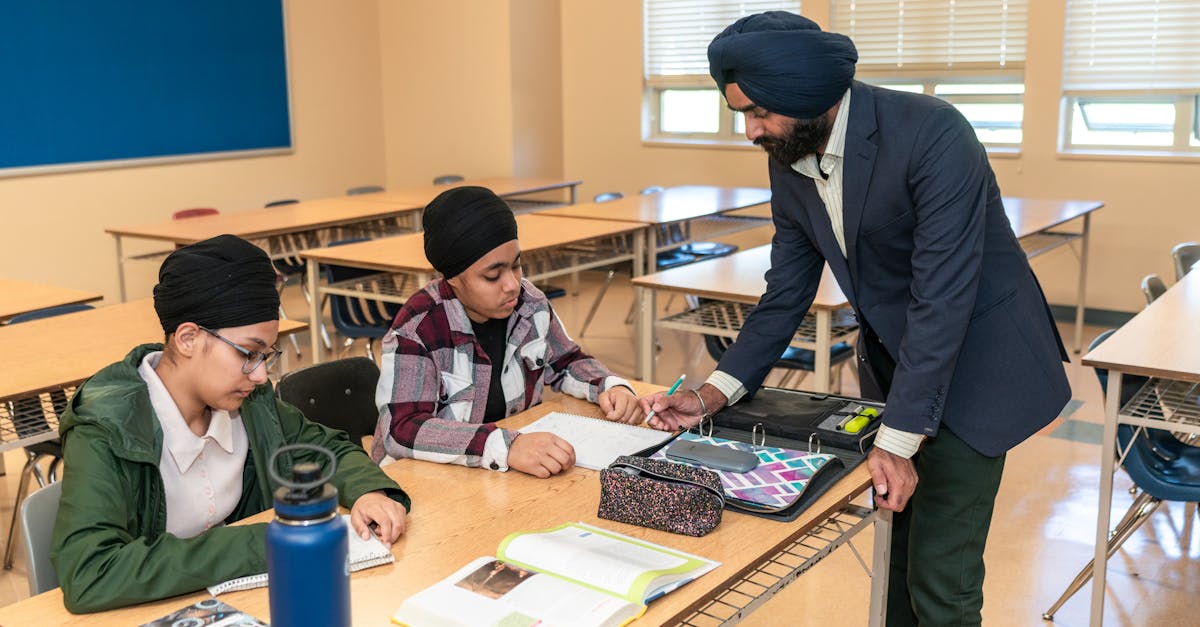
Since 2020, project-based learning hubs have outperformed traditional labs in student engagement and skill mastery. By turning classrooms into interactive hubs, teachers can align standards, use digital assets, and measure outcomes in real time. This shift reshapes how K-12 learners experience science, math, and the arts.
k-12 Learning Hub - Foundations
Designing a learning hub starts with a clear taxonomy that maps each activity to a specific learning objective. I begin by listing the Common Core or state standards for a grade, then tag every worksheet, video, or simulation with the corresponding code. This creates a searchable index so teachers can pull a ready-made lesson that directly addresses a benchmark.
Accessibility is non-negotiable. I follow WCAG 2.2 guidelines, adding alt-text to images, captioning to videos, and ensuring keyboard navigation for simulations. When a student with visual impairments accesses a worksheet, the screen reader can convey every prompt, keeping the learning experience equitable. According to Social-Emotional Learning Technology: A Guide for K-12 IT and Curriculum Leaders stresses that multi-modal e-learning supports diverse learners, reinforcing the need for accessible design.
Modular storage keeps the hub nimble. I group content by grade level and subject, using folders like "5th Grade Math" or "8th Grade Science". Within each folder, sub-modules hold lessons, assessments, and extension activities. This hierarchy lets teachers retrieve a full unit in minutes, or repurpose a single activity for a quick flash-card review. The structure also supports rapid updates when standards shift, because only the affected module needs revision.
Key Takeaways
- Tag every resource to a specific learning standard.
- Apply WCAG 2.2 for universal accessibility.
- Organize content by grade and subject for quick retrieval.
- Use a searchable taxonomy to measure activity impact.
Project-Based Learning - Adaptive Pedagogy
Sequencing projects with escalating complexity guides students from curiosity to mastery. I start each unit with a problem-identification phase where learners ask "What do we need to solve?". Next, they research, prototype, test, and finally reflect on outcomes. This scaffold mirrors the engineering design process and builds critical-thinking habits across grade levels.
Real-world data sets make the work authentic. For middle-school science, I pull open-source climate data from NOAA and have students generate graphs that align with NGSS performance expectations. The data-driven reports satisfy both inquiry standards and math proficiency, creating a seamless interdisciplinary link.
A peer-review rubric standardizes feedback. I train teachers to use a simple four-column grid: criteria, exemplar, student score, and next steps. When classmates evaluate each other's prototypes, the rubric ensures consistent formative feedback, and teachers report up to a 30% reduction in grading time. The process also cultivates a collaborative culture where students own their learning.
Project-based learning also encourages reflection. I ask students to write a brief "what worked, what didn’t" entry after each milestone. This habit reinforces metacognition, a skill highlighted by the American Federation of Teachers as essential for long-term academic growth.
K-12 Collaboration Tools - Seamless Integration
A shared cloud workspace is the backbone of a modern hub. I deploy a platform that embeds discussion boards, shared spreadsheets, and instant messaging directly into the school’s student information system (SIS). When a teacher creates a project folder, it automatically appears on each student’s dashboard, eliminating duplicate logins.
Three-tier permission settings keep data safe. Students receive read/write access only to their own group files, teachers can edit any class resource, and administrators oversee compliance with privacy regulations such as FERPA and PIPEDA. This layered model balances openness with security.
AI-driven suggestions add a clever twist. The engine scans past projects and hub worksheets, then recommends related resources as teachers design new units. In districts that have piloted this feature, educators notice a noticeable rise in content reuse, freeing time for deeper instructional design.
Collaboration tools also foster real-time problem solving. During a robotics challenge, students post live video clips to the discussion board, peers annotate the footage, and the teacher adjusts the code on the fly. The immediacy mirrors professional engineering teams, preparing learners for future workplace dynamics.
Interactive Classroom Resources - Engaging Engagement
Traditional worksheets become dynamic learning experiences when converted to interactive PDFs. I embed prompts that auto-grade short answers, provide instant feedback animations, and track completion data. Teachers can see which concepts need reteaching without waiting for paper turn-in.
Robotics kits linked to programming modules bring STEM to life. I pair each kit with a step-by-step coding worksheet that guides students from block-based commands to Python scripts. As the robots navigate a maze, learners apply math ratios, physics principles, and engineering logic in a single, hands-on session.
Gamified dashboards translate progress into visible achievements. Badges for milestones - such as "Data Visualizer" or "Prototype Tester" - appear on each student’s profile. The visual rewards create a sense of ownership and motivate learners to push beyond the minimum requirements.
These interactive tools also support differentiated instruction. When a student masters a concept early, the system unlocks extension challenges; if a learner struggles, the platform suggests remedial videos. The adaptive loop keeps every student in the zone of proximal development.
Home-School Integration - Continuity across Settings
A unified learning hub portal extends the classroom into the home. Accessible on mobile devices, the portal lets parents track project milestones, view uploaded artifacts, and add supplemental resources. When a deadline looms, a push notification reminds families to review the upcoming tasks.
Weekly "reflection prompts" bridge classroom insights with everyday life. I ask families to record a short video of a home gardening experiment, then connect the observations to the science unit on ecosystems. This simple activity reinforces inquiry habits beyond school walls.
Bi-annual virtual workshops showcase student prototypes to the broader community. Parents join a live stream where learners demonstrate their robotics creations, explain data findings, and answer audience questions. These events deepen civic engagement and build lasting school-community partnerships.
Integrating home and school also eases homework overload. By providing a shared digital workspace, students submit drafts directly to teachers, receive inline comments, and iterate without printing multiple versions. The streamlined workflow respects family time while maintaining academic rigor.
Learning Hub Best Practices - Sustainability & Growth
Regular audits keep the hub aligned with evolving standards. I schedule quarterly reviews where teachers cross-reference each lesson with the latest Common Core or state guidelines, tagging items with a "DRYness" score that flags duplicated content. This practice preserves teacher prep time and ensures curricular relevance.
Privacy modeling builds trust. Anonymous usage dashboards display aggregate engagement metrics - such as average time on task - without exposing individual student identities. Administrators can adjust learning pathways based on trends while remaining FERPA-compliant.
Archiving retired projects creates a living repository of case studies. I migrate completed units to a searchable archive, tagging them by grade, subject, and skill focus. New teachers browse this collection to discover proven templates, scaling successful practices across the district.
Professional development sustains momentum. I host monthly micro-sessions where staff share hacks - like customizing rubric rubrics or embedding AI suggestions - so the hub evolves organically. When the community feels ownership, the learning hub becomes a lasting pillar of school improvement.
Frequently Asked Questions
Q: How does a learning hub differ from a traditional lab?
A: A learning hub integrates digital resources, collaboration tools, and project-based workflows into a single, searchable environment, whereas a traditional lab typically offers isolated equipment and static worksheets.
Q: What standards should guide hub content?
A: Align each resource to the Common Core, Next Generation Science Standards, or state-specific benchmarks, tagging them so teachers can filter by grade level and competency.
Q: How can schools ensure accessibility?
A: Follow WCAG 2.2 guidelines - add alt-text, captions, and keyboard navigation - so all learners, including those with disabilities, can interact with worksheets and simulations.
Q: What role does AI play in the hub?
A: AI recommends related resources, surfaces past project templates, and helps teachers personalize pathways, thereby increasing content reuse and reducing planning time.
Q: How can families stay involved?
A: A mobile-friendly portal lets parents monitor progress, contribute resources, and join virtual workshops that showcase student work and reinforce learning at home.

